Running a Film / Production Company — Simple Guide
This guide is for film, TV, or media production companies — it explains, in plain everyday language, how to track a production from start to finish. No technical words. If you can use email, you can use this.
This guide uses a real example production called Harbour Lights to show how it all fits together.
There's no special "movie" screen in this system. Instead, a few ordinary, everyday parts of the system are used together: Projects, Contacts, Tasks, and Expenses. This guide shows you how.
1. Each Production Is a Project
Where do I find it?
Click Enterprise OS, then Projects, on the left-hand menu.
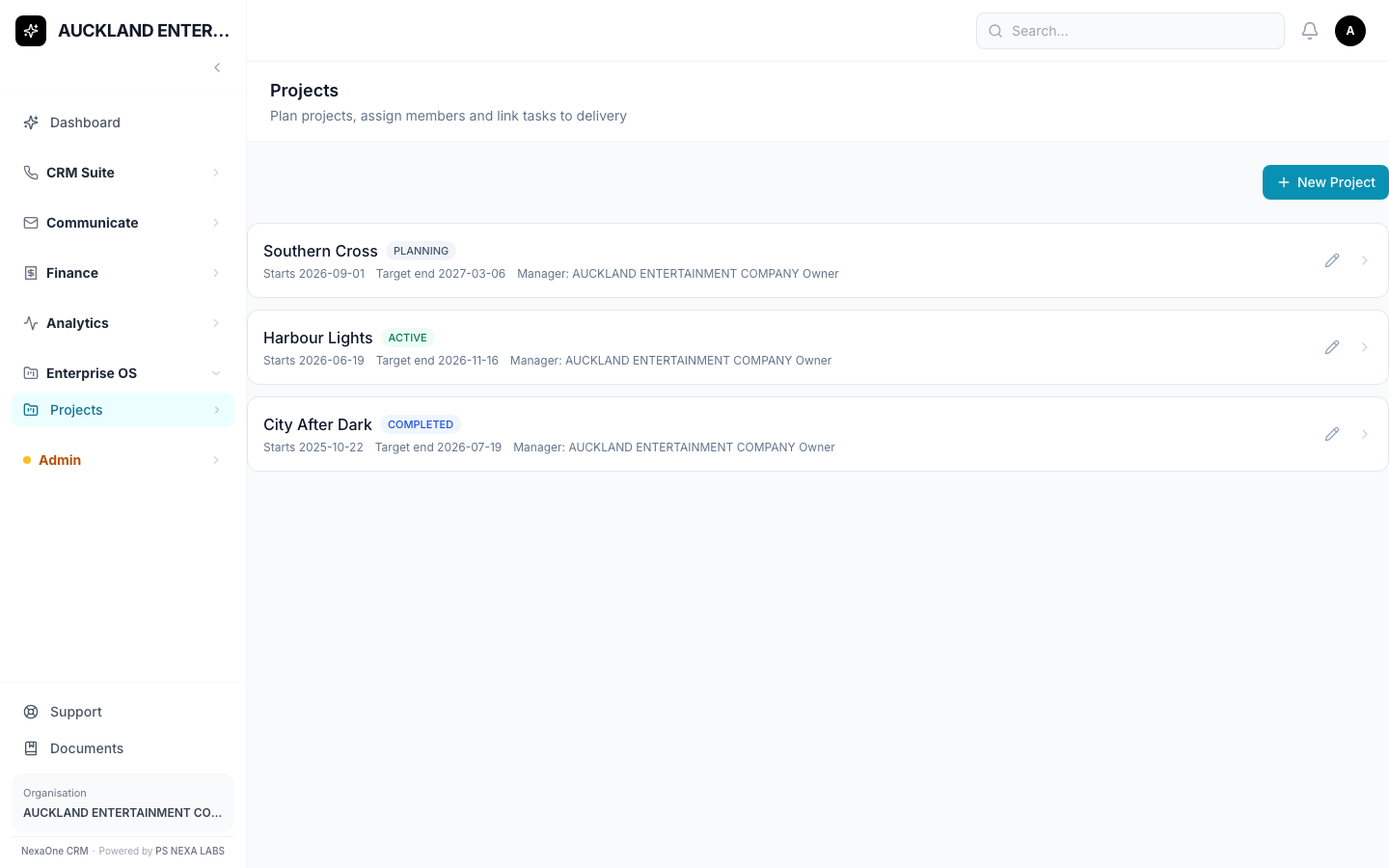
Each card shows the production's name, its stage (Planning, Active, or Completed), and its dates.
How do I start a new production?
- Click + New Project.
- Give it a name — for example, "Harbour Lights."
- Pick a stage, and a start/end date if you know them.
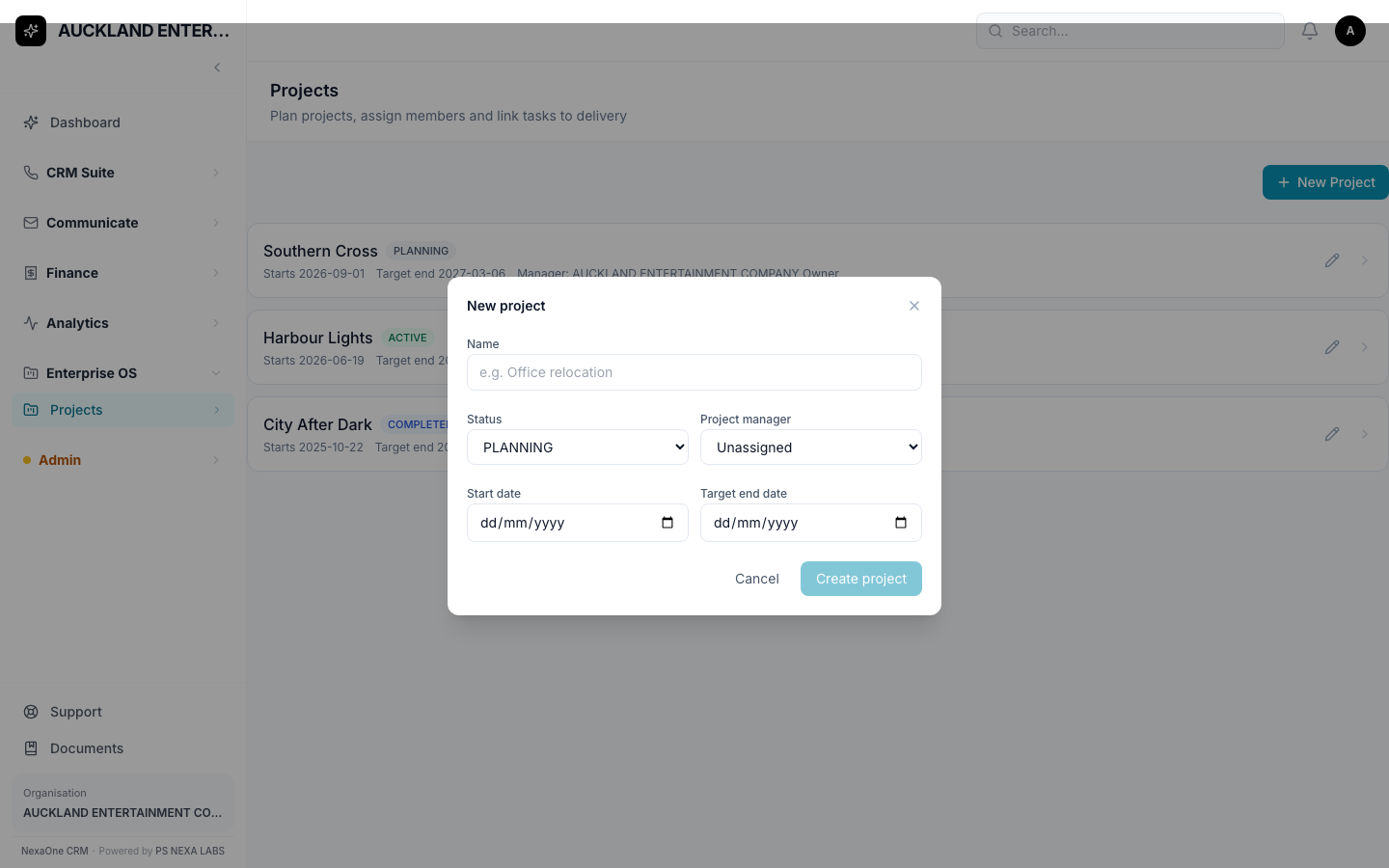
- Save.
2. Cast, Crew and Vendors Go in Contacts
What is this for?
Directors, producers, camera operators, location managers, and companies you hire (like a post-production studio) are all added as ordinary Contacts — the same place you'd add anyone else you work with.
Where do I find it?
Click CRM Suite, then Contacts.
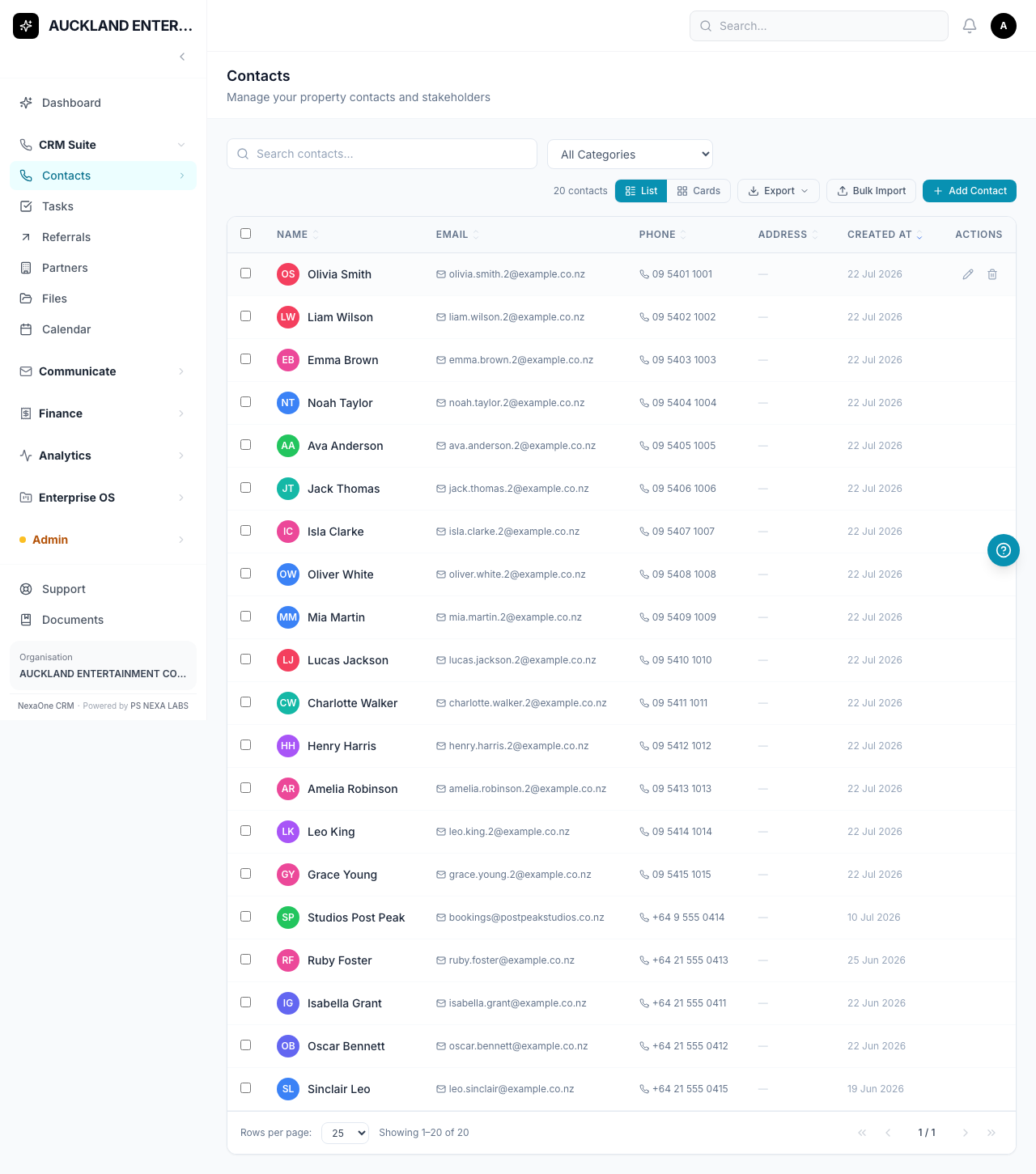
Tip: There's no special "job title" field for cast/crew — write their role (like "Director" or "Cinematographer") in the notes.
Tip: When adding a company (like a post-production vendor) rather than a person, be careful with the name fields — they're built for a person's first and last name, not a business name.
3. Your Own Team Goes on the Project Itself
What is this for?
The people actually running the production for you (like an Executive Producer or Line Producer) are added as Members on the Project page itself — not as Contacts.
Click on a production to open it.
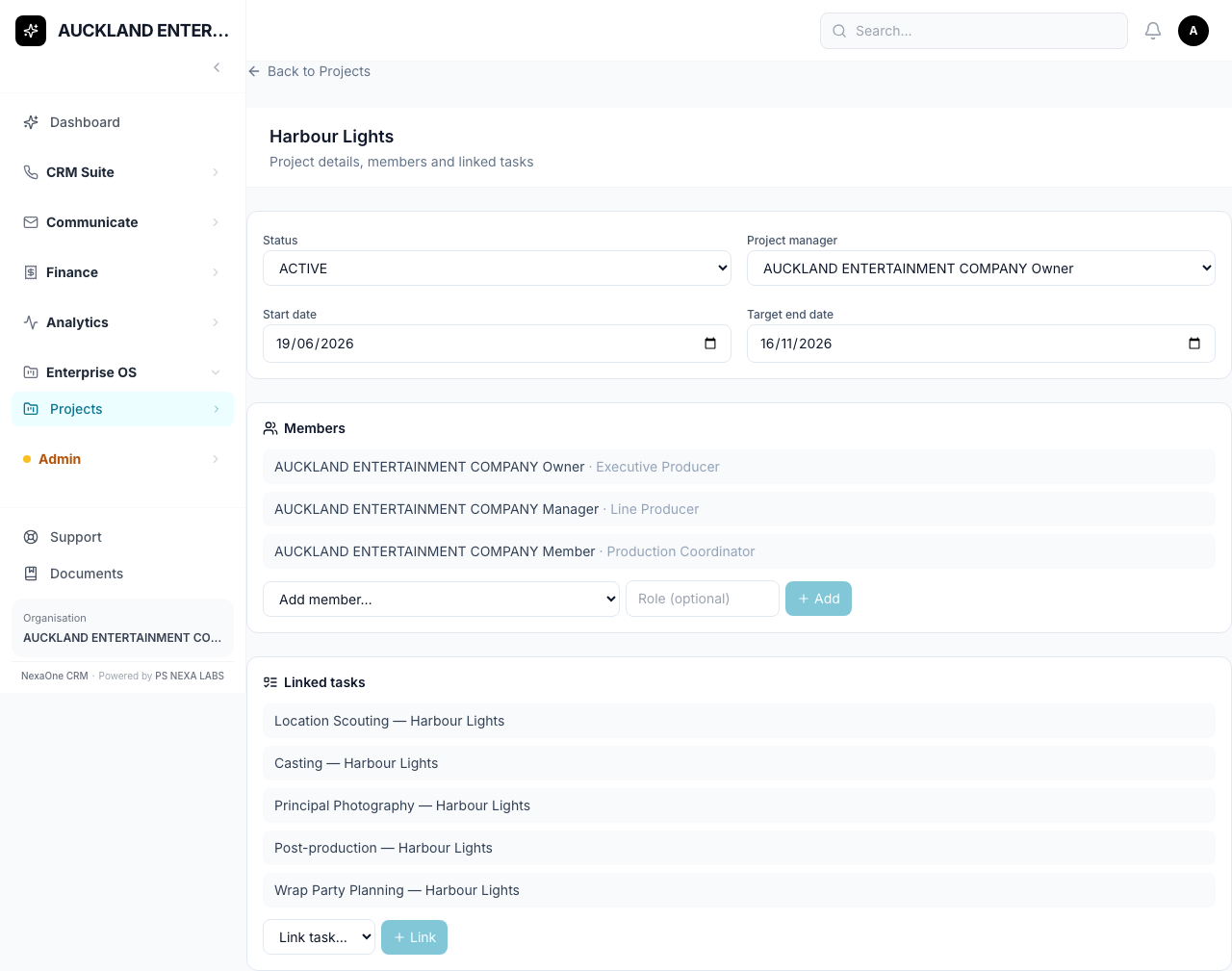
Under Members, pick someone from your organisation and type their role.
Please note: only people who already work in your organisation can be added here. If you want to note an outside person's role (like an actor), add them as a Contact instead, and mention their role in a note there.
4. Tasks Are Your Shooting Schedule
What is this for?
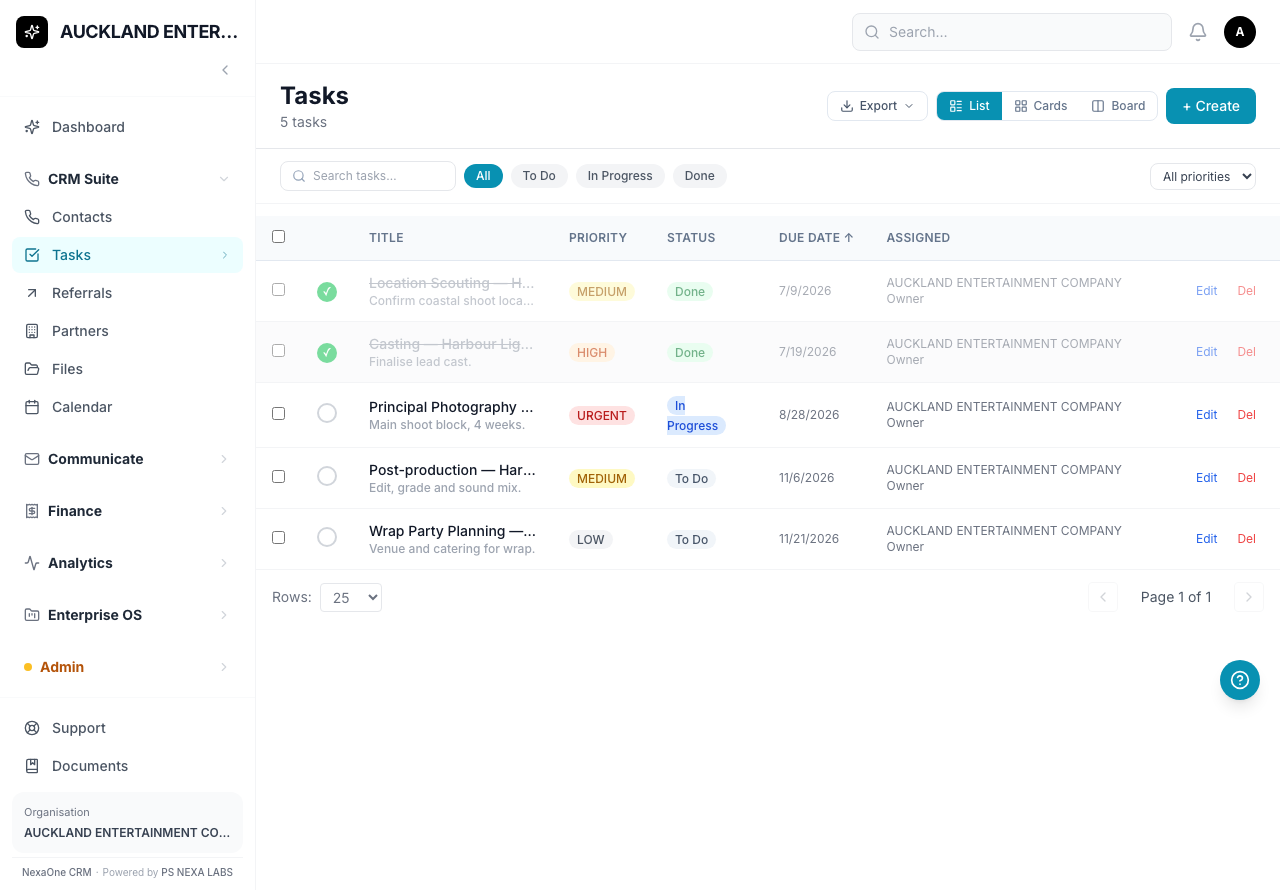
Each stage of a production — scouting, casting, filming, editing, and so on — becomes a Task.
How do I add one?
Tasks are created on the main Tasks screen first, then linked to the right production from that production's own page.
Give each task a title, a priority (Low/Medium/High/Urgent), and move it along as it progresses — To Do, then In Progress, then Done.
5. Costs Go in Expenses
What is this for?
Location permits, cast travel, and any other production cost are recorded as ordinary Expenses.
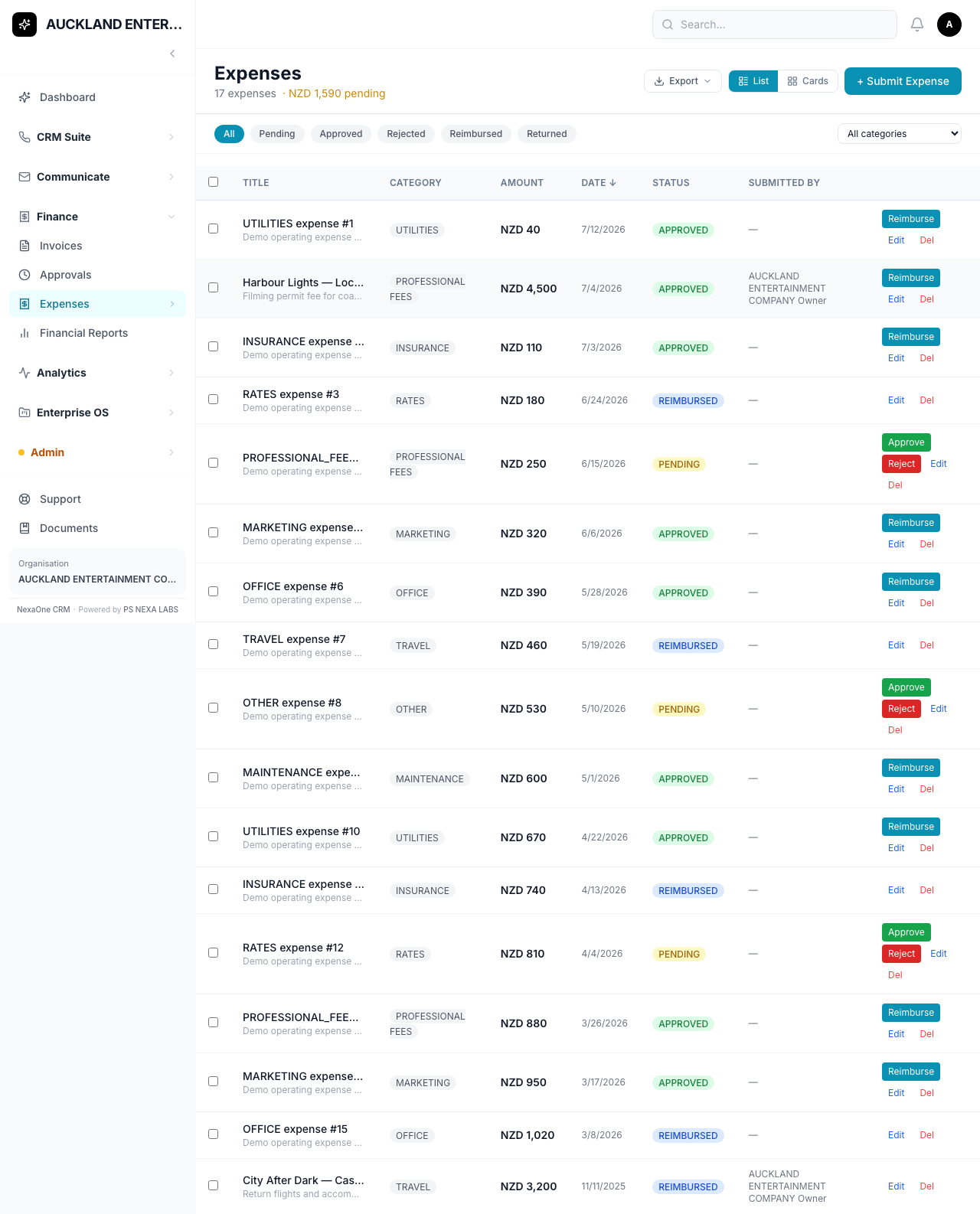
Tip: There's no field linking an expense to a specific production, so name your expenses clearly — for example, "Harbour Lights — Location Permit" — so you can find and total them later by searching.
Putting It All Together
New production is greenlit
        │
        ▼
Create a Project for it
        │
        ├── Add cast/crew/vendors as Contacts
        ├── Add your own team as Project Members
        └── Create Tasks for each stage, then link them to the project
        │
        ▼
Move the project from Planning to Active as filming starts
        │
        ├── Log costs as Expenses (name them clearly)
        └── Move tasks along: To Do → In Progress → Done
        │
        ▼
Move the project to Completed once it's wrapped
What This System Does NOT Do
To keep things clear, here's what this system doesn't handle:
- No call sheets, shooting schedules, or script breakdowns.
- No way to check if a crew member is free on a given date.
- No automatic link between an Expense and a specific production — you have to name things clearly yourself (see the tip above).
- No way to add an outside person (like an actor) as a Project Member — only your own team can be added that way.
If your production company needs any of these, this system won't do it for you today — it's not something you're missing, it's a genuine gap.
Common Questions
Where do I record a crew member's day rate or contract? There's no dedicated field for this — use the Contact's notes, or attach a document to their record.
How do I see the total cost of one production? There's no built-in report for this. Search Expenses by the production's name, as long as you've named them consistently (see the tip in section 5).
Can I add an actor as a Project Member? No — Project Members can only be people from your own organisation. Add the actor as a Contact instead, and note their role there.
I can't find something I'm looking for — what do I do? Try the search box at the top of whichever screen you're on. You can also click on any column title to sort.
I clicked a button and it says "Module Not Enabled." That feature hasn't been switched on for your organisation yet. It's not a mistake on your part — ask your manager or admin if you think you should have access to it.